
Best Tools for Freelancers: What You Need to Run Your Online Business

When I started freelance writing in 2016, I had zero idea what tools I needed to run my business.
- Contracts?
- Proposals?
- Invoicing?
- Project management?
- Time tracking?
None of these things crossed my mind.
It took me a couple of years to figure everything out and find the right tools, apps and websites for my set-up.
If you’re starting your freelancing journey or you want to improve your workflow, this post is for you! I’m breaking down the best tools for freelancers that have helped me grow my business, improve my productivity and keep me on top of my shit.
Psst…Want to know more about remote work? Check out these posts:
- Why Contentfly Is The Perfect Platform for Freelance Writers
- 10 Tips For Working From Home To Maximise Your Productivity
- The Best 40+ Sites For Finding Remote Work Online
- How to Find Clients Online: 10+ Actionable Strategies for Freelancers
- 15+ Digital Nomad Tools You Need in Your Life
- How to Start Freelancing With No Experience
Best Tools for Freelancers
Project Management
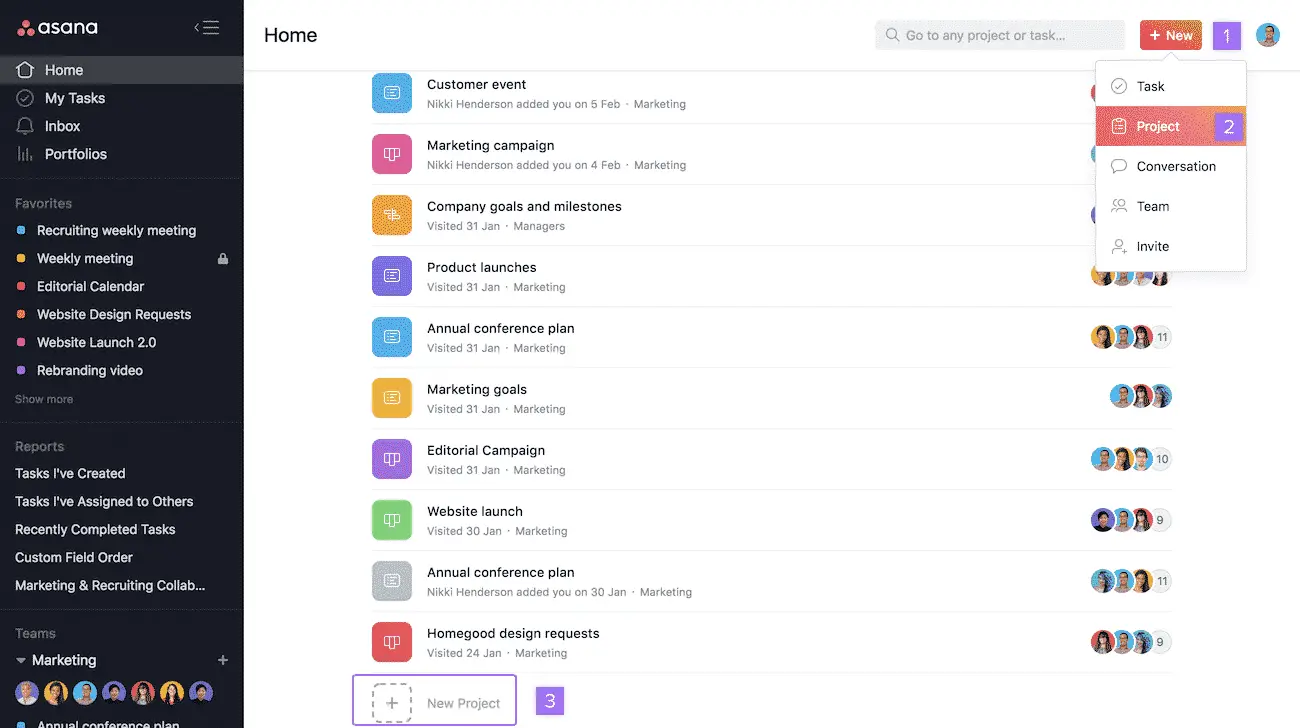
Asana
Asana is a game-changer for freelancers.
Since my business coach, Erin May Henry, introduced me to the tool AND taught me how to use it, my productivity at home has gone through the roof. I use it plan out my content for each of my platforms (YouTube, Instagram and my Facebook Group) as well as my daily task list and goals for each month and quarter.
If you’re not a solopreneur like me, you can collaborate with other people on the app. Asana is free to use for up to 15 people, allows you to assign tasks to specific people and subscribe to notifications when the status of a task changes.
It’s hands down one of the best tools for freelancers on this list!
Price: Free with paid packages starting from $11 USD.
Trello
Trello is a project management tool that I use for my Pinterest Management clients. When a new client signs up, I copy all the cards I need for my new project.
Each card has a list of tasks I need to complete by the due date, saving me so much time. I also invite my clients to the Trello board, which makes it easy for them to track my progress without having to email me for an update.
I also use the cards to keep all files, passwords and other collateral in one place.
Price: Free with paid options starting from $9.99 USD
Other Options:
Read More: The Best 40+ Sites For Finding Remote Work Online
Money
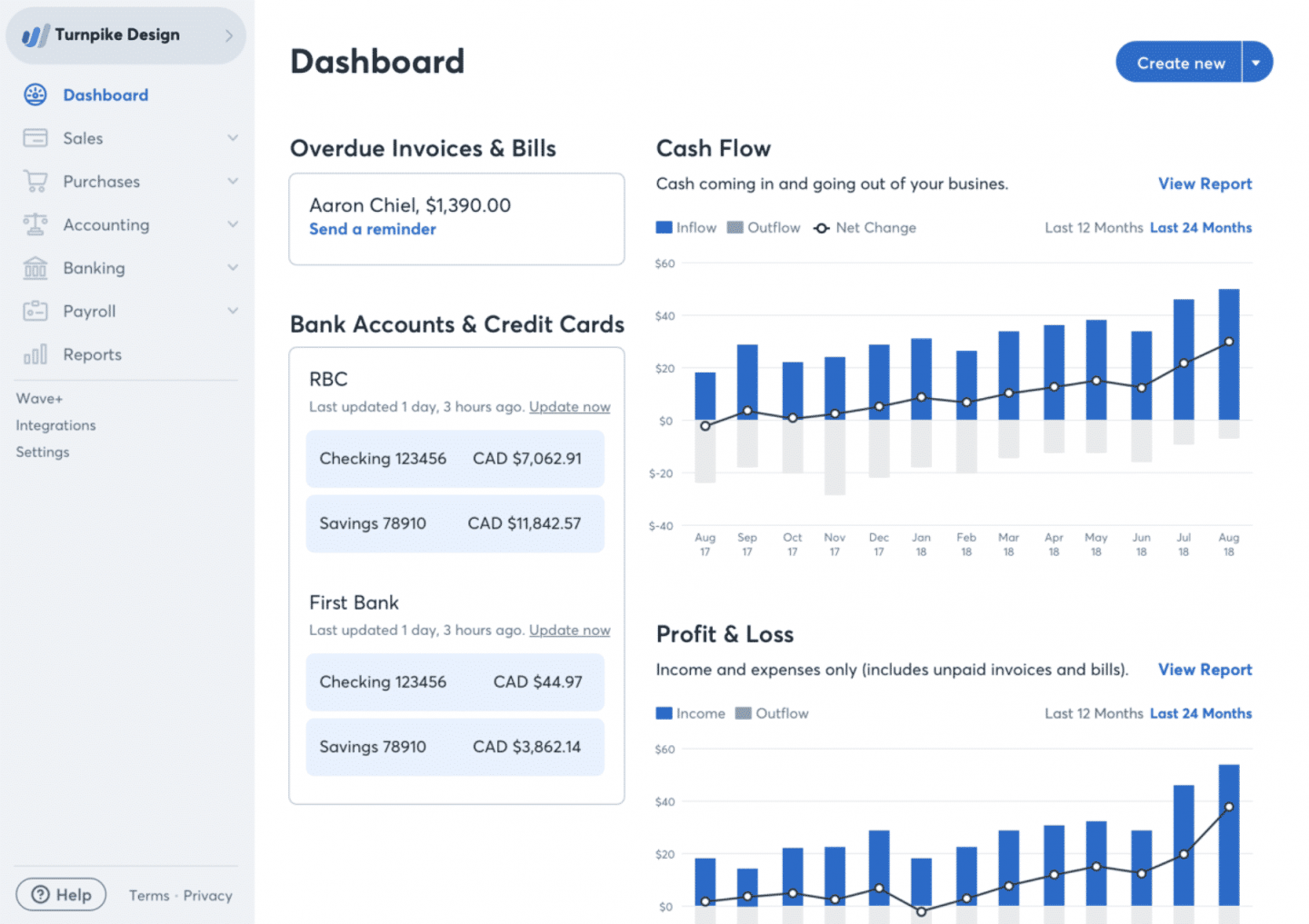
Wave Accounting
Wave Accounting changed my life! I trodded through my first year and a half of freelancing with no way to track my money, business expenses or invoices.
And after discovering I still needed to do tax as a freelancer, I started using Wave as a way to make sure my next tax return wasn’t a hell mouth.
Fast forward three years later and it’s 100% paid off!
I can see at a glance how much money I’ve made in a month, what is still coming in and which clients have overdue invoices. There is also a separate section where I track all my business-related expenses by uploading my invoices to the app.
Other fancy features include a reconciliation of your account, a bunch of different reports and customising your invoices to match your branding.
Price: Free
PayPal
I often get asked how I receive payments from clients. The vast majority pay me via PayPal, which is great, but you will need an FNB account to withdraw your funds into a South African bank account.
Here are some things South African freelancers need to know about PayPal:
- FNB and PayPal will charge a *small* withdrawal and transaction fee.
- According to South African law, you are not allowed to hoard money in your PayPal account. You have to withdraw everything into your bank account.
- Once you’ve requested a withdrawal from PayPal, it takes about 3-5 business days to show in your account.
- If you want to use PayPal on your website, you need to charge in USD as the Rand isn’t an accepted payment currency.
Besides making it easier for you to accept payments from clients, PayPal also offers invoices for freelancers.
Price: Free
Other Options:
Read More: How I Earn Money Online as a Digital Nomad

Time Management
Toggl
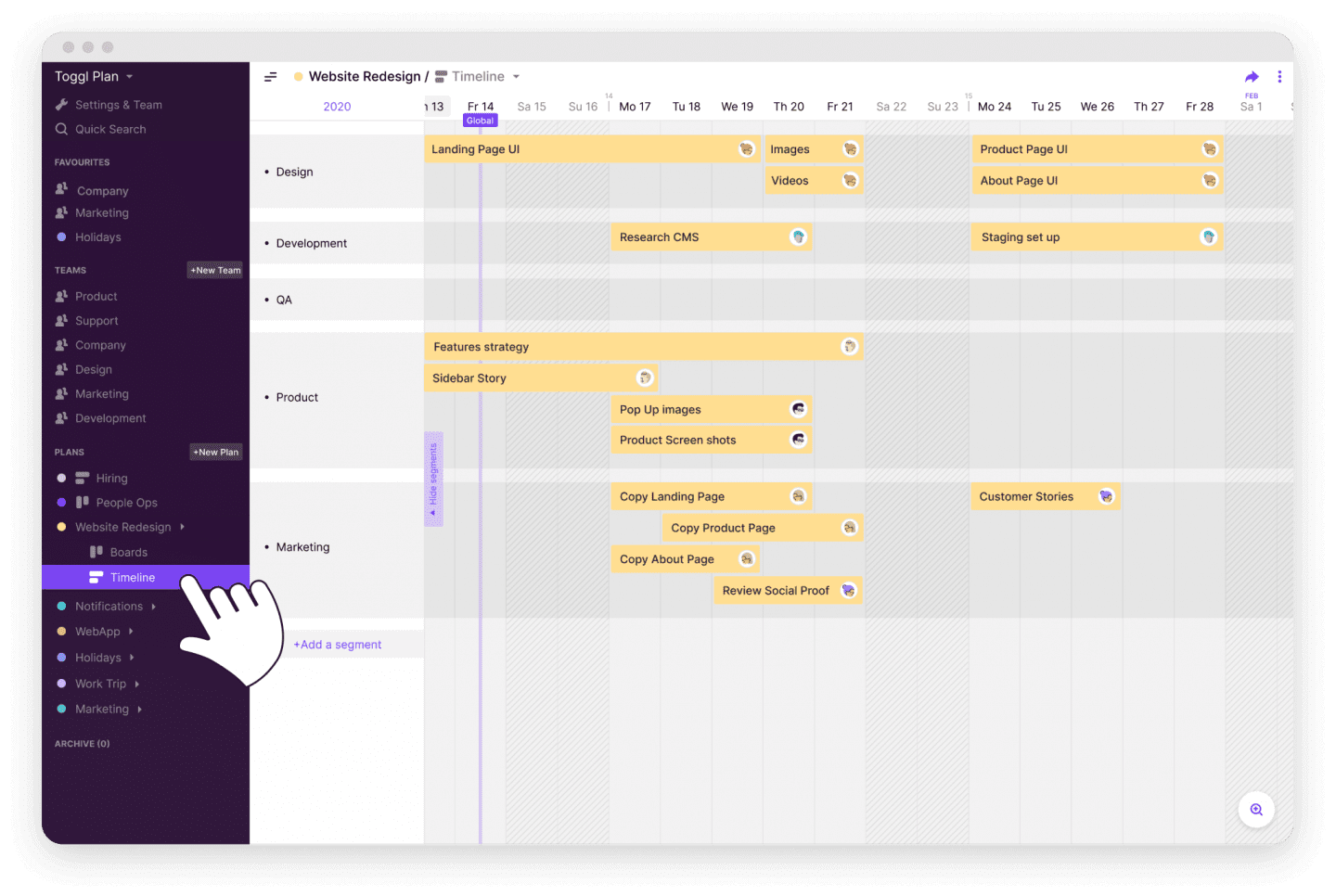
If you’re a freelancer who struggles with time management (like I did), I can’t recommend Toggl enough. I used the tool to track how long it was taking me to write blog posts, knock out Pinterest pin creation and pitch to potential clients.
Once I knew that I need three hours to write, edit, format and schedule a blog post, I could plan out my tasks for the day to a tee.
Toggl is also great to use if you have clients that pay you hourly and want to see proof of your productivity. Plus, it will show you how much time you’re wasting by watching videos of cats.
Price: Free with pricing plans from $10 USD
Other Options:
Read More: 10 Tips For Working From Home To Maximise Your Productivity
Contracts & Proposals for Freelancers
Bonsai
Bonsai is more than an app that creates contracts for freelancers. You can use it to combine a whole bunch of tasks like:
Time tracking
- Accounting
- Task management
- Proposals
- Invoices
- Projects & Client CRM
You can select a contract type (like writing or design) that clients can sign electronically, and you get notifications like a read receipt.
Price: From $19 USD per month
Read More: How to Find Clients Online: 10+ Actionable Strategies for Freelancers
Email Marketing
Oh My God. I have been around the email marketing block in the last four years. I’ve used every single platform listed below, and I’m going to explain the pros and cons of each one.
Flodesk
Flodesk is the platform I’m currently using. It is the best option if you’ve tipped over the free subscriber amount for MailChimp and you’re not quite ready to fork out $50 a month for ConvertKit.
Flodesk is super easy to use, affordable and looks gorgeous!
Plus, it has an incredible analytics dashboard and drop-and-drag templates to make designing your campaigns simple and effective.
Price: From $19.99 USD
MailChimp
When I started Wanderlust Movement, I used MailChimp to grow my list to my first 1,000 subscribers. However, once you hit that free threshold, MailChimp is not the best platform to use. It quickly becomes one of the more expensive options because it chargers you for contacts that have unsubscribed.
Bizarre, I know.
If you’re on a tight budget, start with MailChimp, but get ready to jump ship.
Price: Free with paid options from $9.99 USD
ConvertKit
Okay, so about a year ago I got super hyped up to try ConvertKit. I had watched multiple other bloggers rave about the platform and got all excited to try it out.
- Are the features amazing? Absolutely!
- Is the platform easy-to-use and intuitive? Hell yes!
- So what went wrong? Me.
I had no idea how to use email marketing and sales funnels to justify the hefty price tag of $50 per month. I had zero paid products for my blog, and I would also forget to email my blog subscribers for months at a time.
So ya, not the best financial decision for me, but 100% a good idea for someone who knows how to monetise their email list.
Price: $50 per month

Content Planning
CoSchedule
Truthfully, I don’t use CoSchedule anymore. But I used it religiously when I worked as a full-time content manager/social media manager.
If you want a holistic way to manage your marketing or your client’s online marketing in one place, you’ll LOVE this app.
The Blog Manager organises all your blog posts and social media sharing from a single dashboard.
You can:
- Create tasks.
- Assign posts to specific authors.
- Sync it directly to your WordPress site.
- Plan your blog calendar.
- Fine-tune your social media posts for each platform.
Pricing: $15 per month
Plann
Plann is my new favourite way to schedule my Instagram content for the month. Out of all the scheduling apps I’ve used, it has the best analytics dashboard I’ve come across.
You can see:
- What’s your top-performing colour palette.
- The best time to post and when your followers are online.
- Instagram Stories completion and engagement rate.
- Instagram Story reply rate
- Filter your posts by lowest to highest reach, engagements, likes and comments.
Then, there’s the hashtag research tool. You can quickly see which hashtags are the best to use and instantly create hashtag groups.
Plus, a whole strategy section to help you tell your brand story and a content calendar.
Price: Free with paid plans from $7 per month
Other Options:
Lead Generation
Something I speak about all the time when it comes to finding work online as a freelancer is cold emailing. While job boards are an excellent way to find remote work, you can compound your success by reaching out to companies and pitching your services.
Here are the best apps for freelancers to find emails for lead gen:
Hunter.io
Hunter.io is a free and easy-to-use tool for finding email addresses. However, it is quite rudimentary as it only scans webpages which means, most of the time you will find “info@” email address.
On occasion, you will strike gold, so it’s still a good tool to keep in your freelancing arsenal.
Price: Free
ClearBit
I’ve been using ClearBit for the last year, and it has my heart. We are in a serious, committed relationship, you guys.
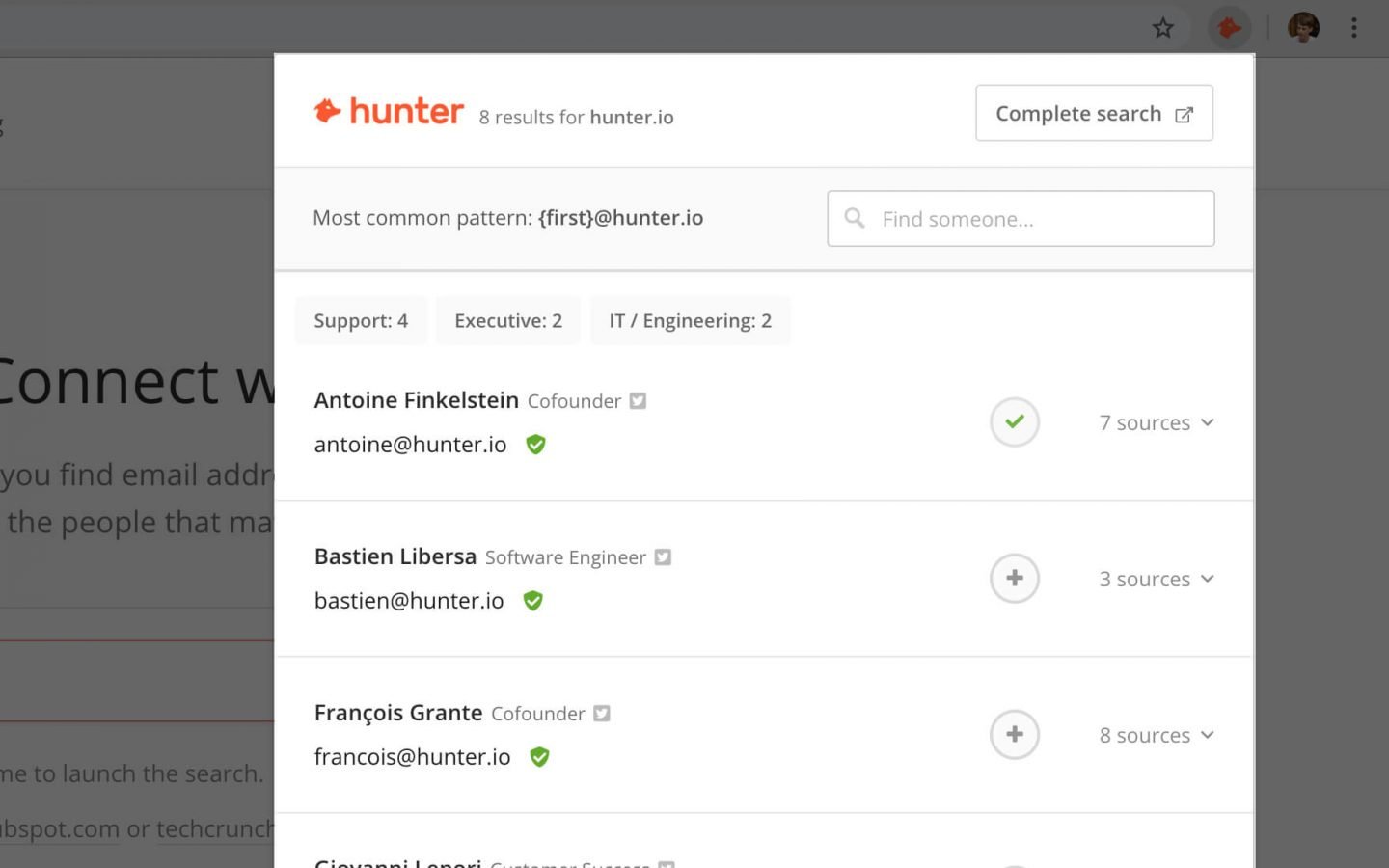
ClearBit is a Gmail extension and is the best tool to find email addresses for people in specific positions. All you need to do is type in the company’s name, and it brings up a list of people who work there as well as their job titles.
As people tend to job hop, always double-check on LinkedIn to see if that person still works there.
Price: Free
Read More: 10+ of the Best Side Hustles for Introverts
Struggling to write pitches that land clients? Sign up for the Pitch Perfect Toolkit Masterclass and start writing aca-amazing pitches in 1hr 30min!
Portfolio Website
Squarespace
Don’t want to spend hours designing your portfolio site or trying to figure out code? Get Squarespace.
It’s what I use to host my portfolio site, and it took me less than a day to set it up.
Squarespace comes with a range of templates to choose from, and the interface is easy to use. Plus, it comes with plugins like Memberspace (which you can use to host your membership site) and has e-commerce features.
Price: From $12 per month
Themeforest
If you’re looking for a custom build for your portfolio site and want to use WordPress, I’d recommend browsing through Themeforest. There are hundreds of website designs that will appeal to any budget!
Siteground
For WordPress sites, Siteground is one of the top hosting services. I use them to host my blog Wanderlust Movement, and I’ve had incredible customer service experiences.
Seriously, these guys go above, and beyond every single time, I chat to them.
Price: Depends on which package you choose

Design
Canva
You don’t’ need to be gifted in graphic design to create eye-catching imagery for your blog or your clients.
Case in point: Me.
I’m absolutely terrible at design, but with Canva at my side, I’ve created gorgeous pins, ebooks, email opt-ins, YouTube banners, and so much more!
Price: Free
Unsplash
Sometimes you need beautiful stock images for your brand or your latest client project.
That’s where Unsplash comes in.
It has 1,000s of royalty-free images taken by professional photographers that you can use anywhere!
File Sharing
WeTransfer
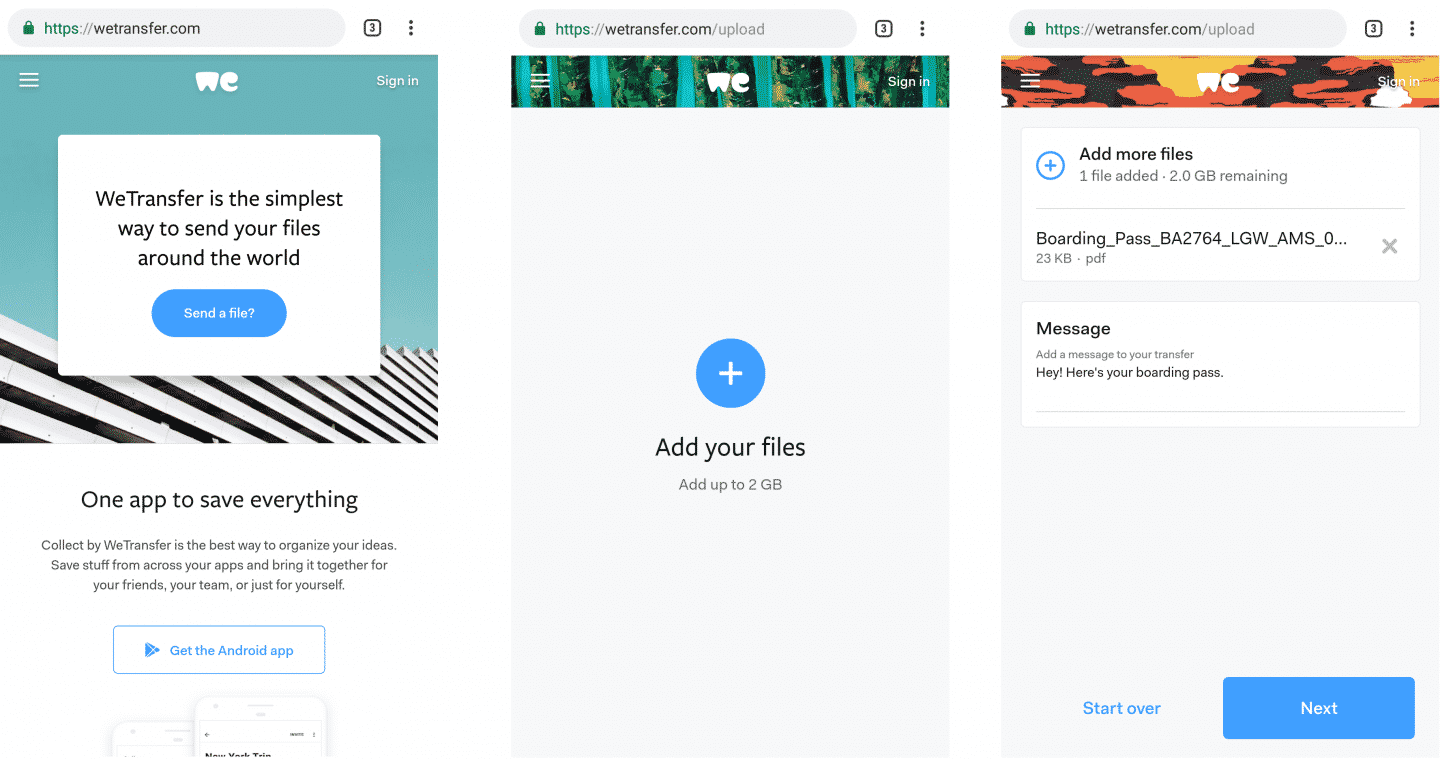
We Transfer is one of the best tools for freelancers to send large files over the web. I use it whenever I need to share RAW files with clients or transfer large video clips.
The best part?
You can send up to 2G free!
Price: Free with paid options from $12 USD
Did I miss some of the best tools for freelancers? Got any questions about going remote? Hit ya gurl up in the comments below!
Psst…Want more tips for finding remote work and achieving location independence? Check out these posts:
- 16 Things No One Tells You About Working From Home
- 10 Tips For Working From Home To Maximise Your Productivity
- The Best 40+ Sites For Finding Remote Work Online
- 10+ of the Best Side Hustles for Introverts
- How I Earn Money Online as a Digital Nomad
- How to Become a Digital Nomad in 6 Easy Steps
? If you like it, then you should put a pin on it! ?








Clearly explained the pros and cons of the tools listed in here. Great help for those starting out as a freelancer.
I’d say you definitely need a project management tool. The one that works best for me is kanbantool.com . Try it, it’s very good!
That’s #1 on the list 🙂 I personally use Asana! It’s been a game-changer for me.
As a freelancer, it becomes very challenging to remember the different payments received from individuals. To sort this problem of my student I suggested them Coconut. This is very efficient and one to try it to save their time.
Thank you for such a detailed and helpful list, and for the alternatives!
Hey, Thanks for sharing these tools. As I am working as a freelancer this article is very helpful for getting the best tool. Keep sharing.
Glad you enjoyed!
I recommend kanbantool – it’s super helpful, especially when you work remotely. It helps me to manage my time and projects.
Much Productive list! Just would love to add a VPN to it. I’m a freelance Digital Marketer work on international online marketing projects. I bought a VPN for better geo-location specific research on Google. Thanks a lot for sharing.
Great roundup of essential tools for freelancers! Each recommendation is spot-on for boosting productivity and efficiency. Thanks for sharing these helpful insights!